Data Handling
Filter rows, pick columns, sort, and reshape your data with dplyr.
Load the Data
First, you have to load the data.
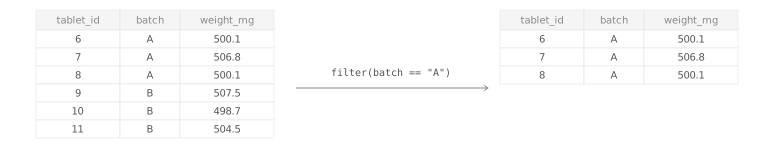
filter( )
Keep only rows where a condition is TRUE.
Filter based on one condition
Filter based on multiple conditions
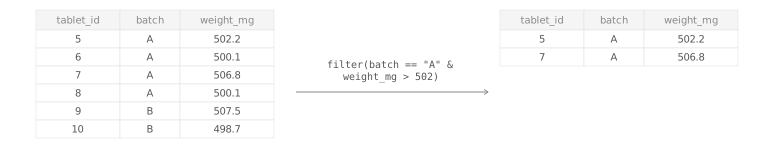
TipAvailable Operators
==equal — is the value exactly this?!=not equal — exclude this value>/<greater / less than — strictly above or below>=/<=greater / less than or equal — includes the boundary value&and — both conditions must be true|or — at least one condition must be true
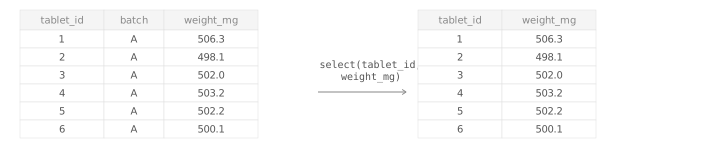
select( )
Keep only the columns you need.
Select columns by name
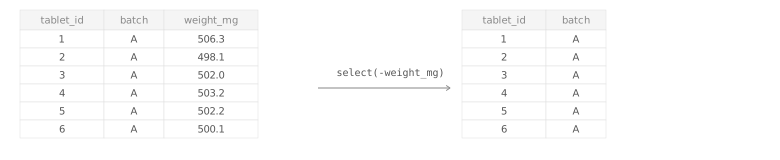
Drop a column by name
rename( )
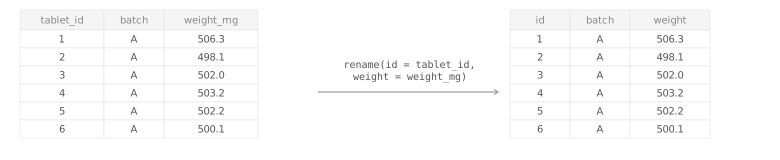
Rename a column: rename(new_name = old_name).
arrange( )
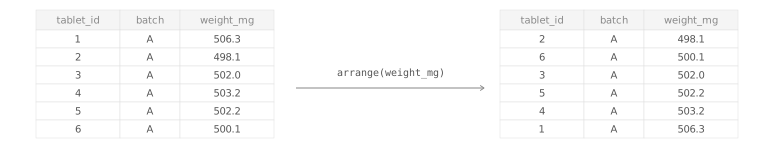
Sort rows by a column.
Ascending order
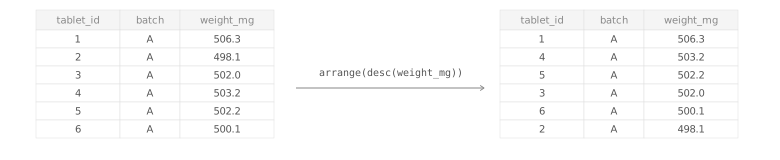
Descending order
mutate( )
Add or transform columns. See the full mutate() reference page for details.

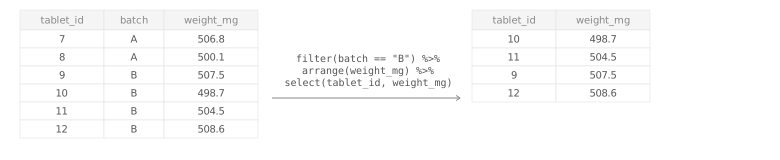
Combining steps
Chain any number of operations with the pipe — each result flows into the next.